The recipe book
that’s actually yours
Save recipes from anywhere on the web. Organise them, plan meals, build grocery lists. No ads, no account, and your data lives on your device; any copy on a server is encrypted so only you can read it.
Free when it lands, with no account to set up. We’ll only email you about launch, nothing else.

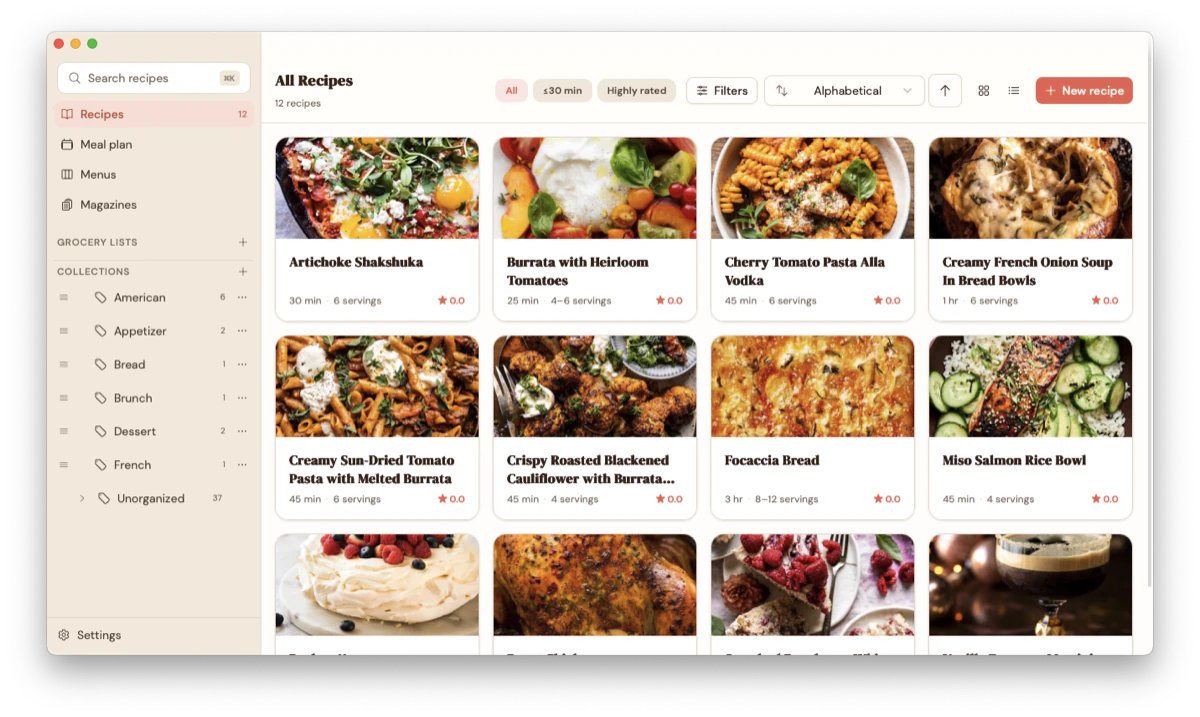
Three ways in, no typing required
No built-in browser, and you won’t need one. Gratin clips recipes from the page you’re already reading, pulls them in from a link you paste or share, or imports the recipes you built up in another app.
Clip from any site
One click with the Gratin clipper for Chrome. It reads the recipe on the page you’re viewing, ingredients, method and photo, and drops it straight into your book. Because it works inside your own logged-in browser, it saves from the sites you subscribe to as easily as from free ones.
Add the Chrome clipper →Paste or share a link
No extension needed. On your computer, paste a recipe’s link; on your phone, share the page to Gratin. Either way it pulls in the ingredients, method and photo. Ideal for the one-off recipe on a blog, or any site with a public link.
Bring your old recipes
Switching apps? A whole Paprika account comes across, photos and folders included, so you start with everything you already have rather than an empty book.
Adding recipes
Gratin has no built-in browser. How do recipes get in?
A few ways, none of them typing: clip the page you're reading with the Gratin browser extension, paste a recipe's link (or share it to Gratin from your phone), or import a whole collection from another app like Paprika. You can type one in by hand too, but you'll rarely need to.
Can I save recipes from sites I pay for?
Yes, with the browser extension. Because it reads the recipe straight from the page open in front of you, it works on the subscription sites you already have access to, just like any free one. Pasting a link or sharing from your phone fetches the page fresh instead, so those are best for public recipes; for anything behind a login, reach for the clipper. Either way your copy then lives on your own device, so it stays with you even if the recipe later moves behind a paywall or disappears.
Save it, plan it, shop for it
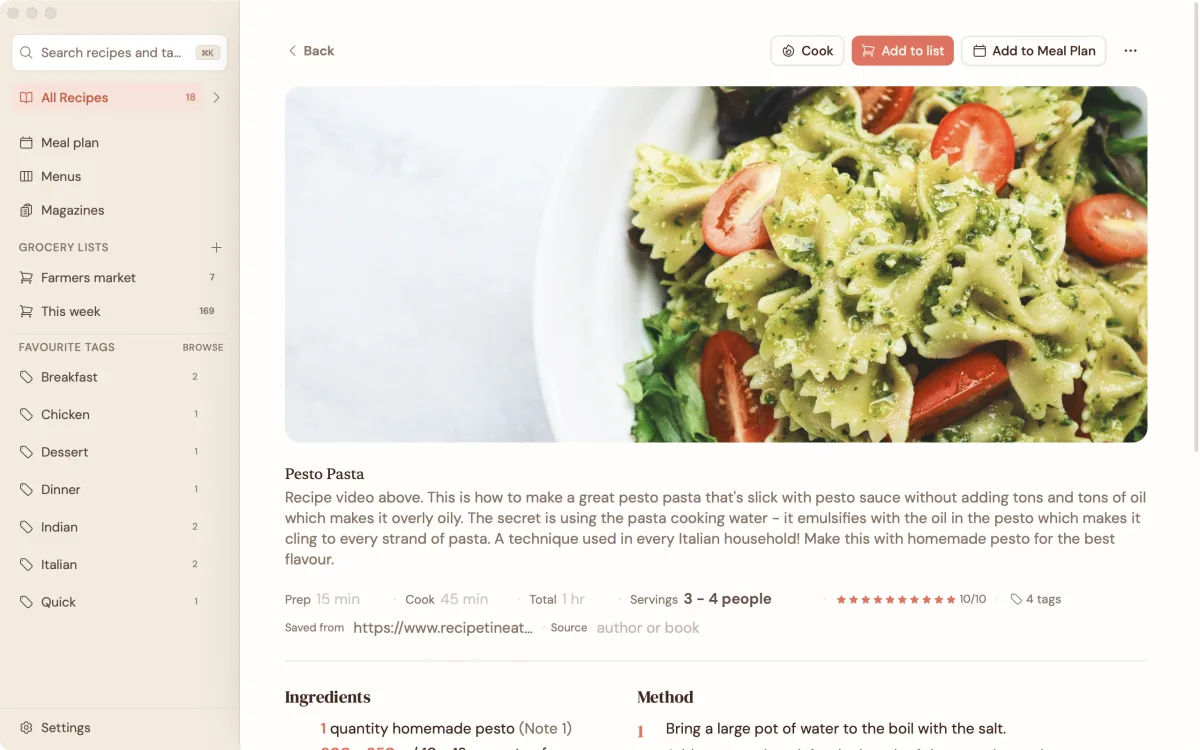
Every detail, beautifully laid out
Ingredients, method, photos, cook time. Everything you need in one place. No ads, no pop-ups, no life stories. Just the recipe.

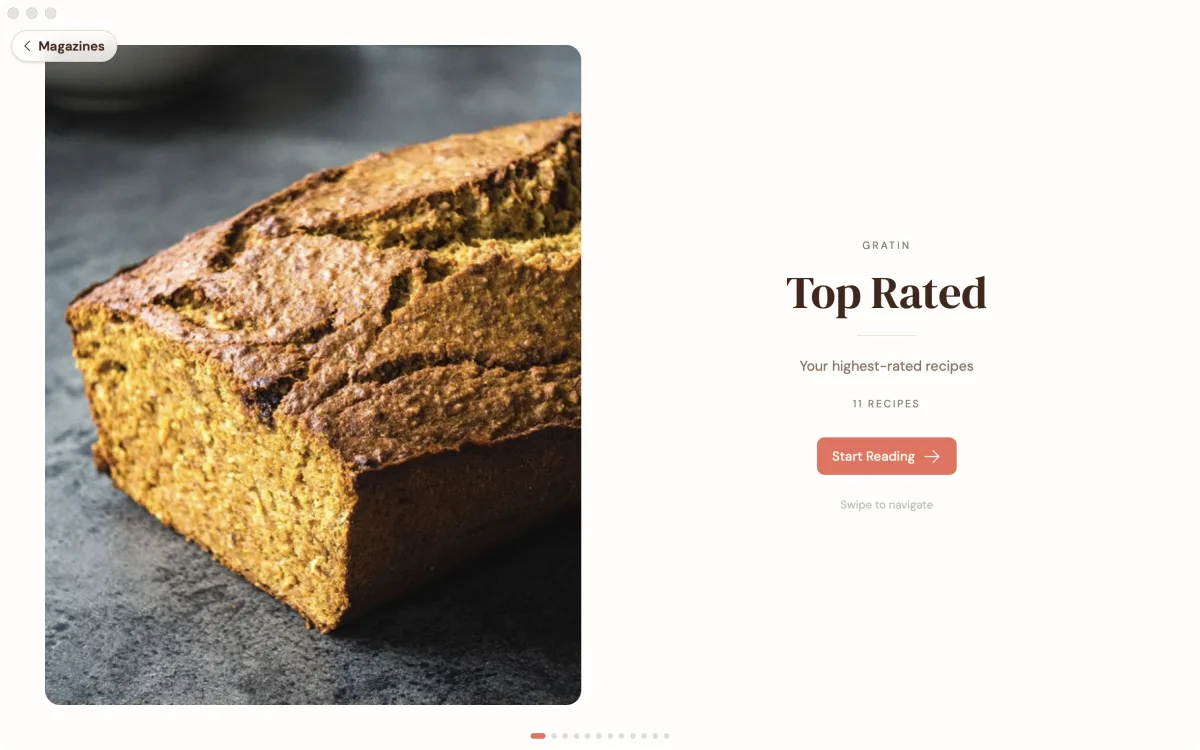
Read your recipes like a magazine
Turn your collection into a magazine you can flip through, big photos and all. It's the loveliest way to rediscover what you've saved and decide what's for dinner.

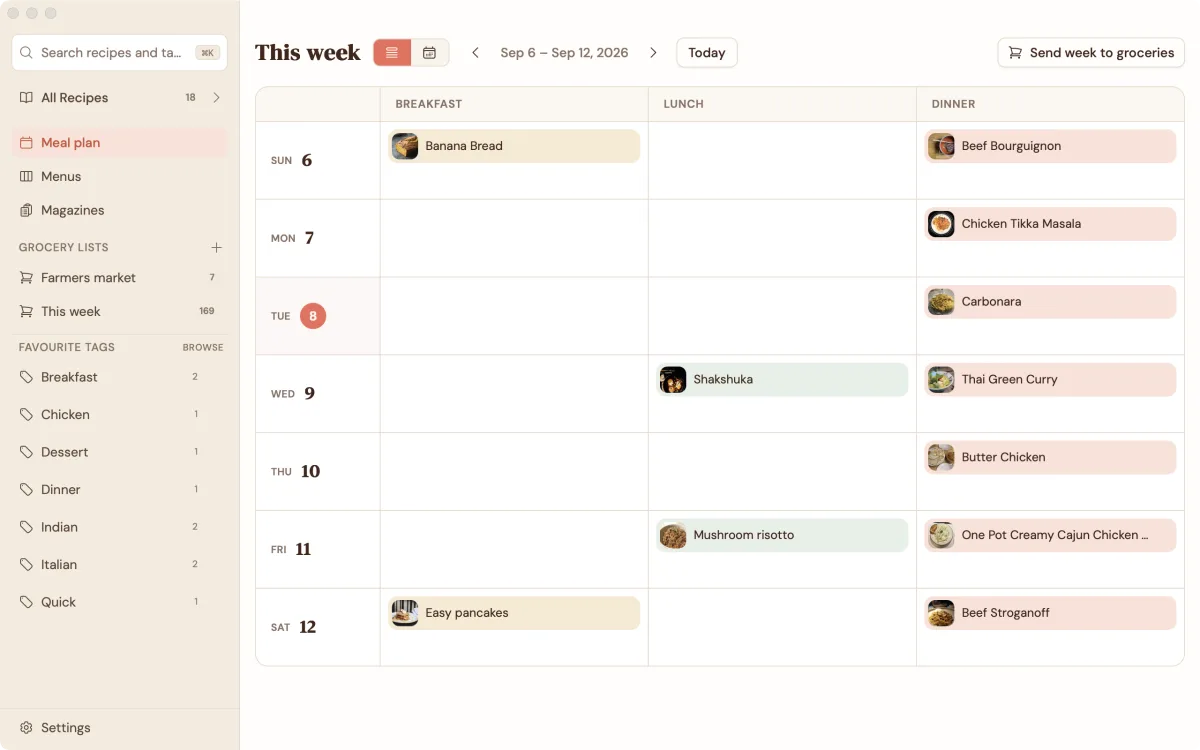
Plan the whole week
Drop recipes onto any day, from breakfast to dinner. See the week at a glance, then send everything you need to your grocery list in one tap.

Take it to the shop
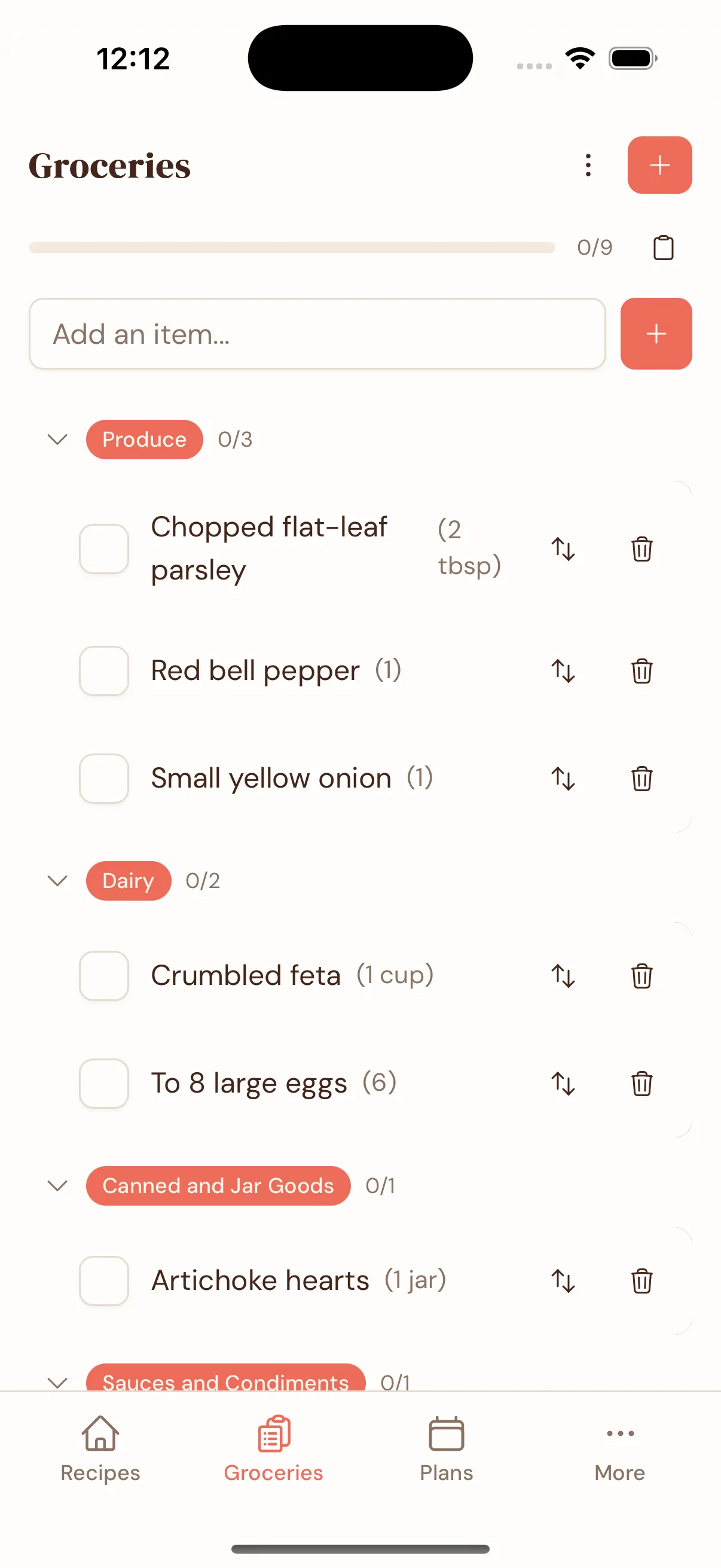
Your grocery list sorts itself by aisle. Tick things off as you go, and always know which recipe needs what.

Cook with Claude and ChatGPT
Gratin now speaks MCP, the open standard for connecting apps to AI assistants. Link it to Claude or ChatGPT and just ask, in plain words, to work with your own recipe book. While the connector is on, a server of ours keeps a readable copy of your recipe book for the assistant to work from, and the AI service you connect sees what the assistant reads; switch it off and that copy is erased.
Turn it on in Gratin, then add it as a connector in Claude or ChatGPT.
Everything stays with you
On your device
Your recipes, grocery lists, and meal plans live on your device, so the app is fast and works offline. They’re yours, and you can export the whole collection to an open format whenever you like.
Backed up, not just synced
Turn on sync and an end-to-end encrypted copy lives on the relay as well, unreadable by anyone but you, and self-hostable if you like. That copy is your backup: lose or replace a device, and every recipe comes back on the next one.
No account needed
No email. No password. No tracking. You just open the app and start cooking.
Backups and recovery
What happens if I lose my phone or laptop?
As long as you've synced, nothing is lost. Your recipes live on your device and, once you sync, as an end-to-end encrypted copy on the relay too. Set up Gratin on a new device and it all comes back: with our hosted sync you sign back in with your password (or your recovery code, if you've forgotten it); if you run your own relay, you restore with your sync code (the recovery phrase of words only you hold). The one case to avoid is never syncing and never exporting, because then the only copy is on that single device, so it's worth turning sync on early.
Where does my backup live, and who can read it?
On the sync relay, ours or one you host yourself, and only you can read it. The copy is end-to-end encrypted with a key only you hold, so the relay operator, us included, only ever sees scrambled blobs. Your own devices always keep the full copy too, so they, not the relay, are the source of truth.
Can I keep my own backup, separate from sync?
Yes, two open ways. Export your recipes as JSON-LD, the Schema.org standard other recipe apps can read, so you're never locked in. Or export your entire Gratin database as a single SQLite file, ideal for a full local backup or for wiring your recipes into your own scripts and tools. Both are yours to keep wherever you like.
Built to outlast us
Gratin is built on Evolu, a local-first sync framework. Your recipes live on your device, never in a cloud anyone else can read. Sync keeps a matching end-to-end encrypted copy on the relay, one you can host yourself, and you can export the lot to open formats whenever you want.
The backend is a plain, lightly configured relay. Host your own for free, or let us run it from $12 a year. It is generic enough that you could point your own apps at it too. If Gratin went away tomorrow, your recipes would still be yours, and sync would keep working through any relay you point the app at.
How Gratin compares
Compare in depth: Paprika · BigOven · AnyList · all comparisons →
Based on how each product generally works today. Product names belong to their owners.
The app is free. Always.
Every feature, on every device, with no account. You only pay if you want us to host your sync, and if you're technical you can self-host the relay yourself.
The whole app. Your recipes on your device. Sync by pointing the app at your own relay.
- ✓ Every feature, no gates
- ✓ Unlimited recipes, menus & lists
- ✓ Mac, Windows, iOS & Android
- ✓ No account, no ads, no tracking
- ✓ Works fully offline
- ✓ Self-host the encrypted sync relay
- ✓ Export everything, any time
We run the sync, you just cook. Every device stays in step, with no server to manage.
- ✓ Everything in the free app
- ✓ Managed sync across all your devices
- ✓ ~50 GB of storage (~100,000 recipes)
- ✓ End-to-end encrypted, so we can't read it
- ✓ Zero setup, works instantly
- ✓ Cancel anytime; your recipes stay on your devices
Pay once. Sync for the life of Gratin 1, guaranteed at least 5 years. No renewals, nothing to remember.
- ✓ Everything in Hosted sync
- ✓ Sync for the life of Gratin 1 (min. 5 years)
- ✓ No renewals, ever
- ✓ ~50 GB of storage (~100,000 recipes)
- ✓ Discounted upgrade when Gratin 2 arrives
All prices in USD. See full pricing, and why it costs what it costs →
Made for my kitchen.
Yours soon.
Gratin is nearly ready. Leave your email and you’ll be first through the door when it opens.